

Brother DR-1050 Drum Counter Reset (Drum Reset)
The "Replace Drum" message indicates that the printer has reached the end of the drum unit's expected life. After installing a new drum unit, you must reset the drum counter (Drum Reset) so that the printer can correctly recognize the new drum.
Important: Perform this procedure only after installing a new drum unit. Do not reset the drum counter if the old drum unit is still being used.
Brother DCP-1510 / DCP-1512 / DCP-1610W / DCP-1612W / MFC-1810 / MFC-1910W
- Make sure the printer is powered on.
- Press the Menu button.
- Use the arrow keys to select Machine Info and press OK.
- Select Reset Drum.
- Press and hold OK for approximately 3 seconds.
- When the confirmation message appears, press the Up Arrow (▲).
- Press Stop/Exit.
If the procedure has been completed successfully, the "Replace Drum" message should disappear.
Brother HL-1110 / HL-1112 / HL-1210W / HL-1212W
- Make sure the printer is powered on.
- Open the front or top cover of the printer.
- Install the new drum unit and toner cartridge assembly.
- Do not close the cover yet.
- Press the Power button four times.
- Close the cover.
If the procedure has been completed correctly, the "Replace Drum" message should be cleared.
Unable to Reset the Drum Counter?
If the "Replace Drum" message is still displayed after following all the steps above, we recommend repeating the procedure from the beginning.
If the issue persists or you are unsure whether the drum counter was reset correctly, please contact your supplier or reseller. We will be happy to help you reset the drum counter, verify compatibility, and provide additional assistance.
Note: The menu structure may vary slightly depending on the printer model and firmware version.
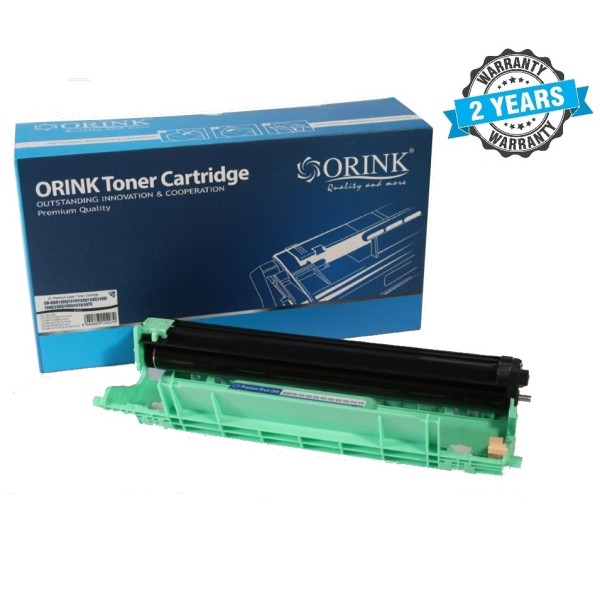
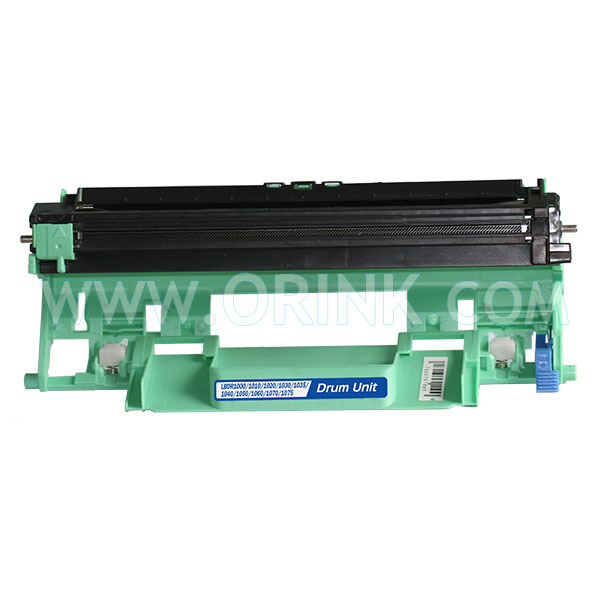
ORINK DR-1050 būgno blokas Premium, suderinamas su Brother DR-1050
ORINK DR-1050 – aukštos kokybės suderinamas būgno blokas (Drum Unit), skirtas naudoti su „Brother“ lazeriniais spausdintuvais ir daugiafunkciais įrenginiais. Tai ekonomiška alternatyva originaliam Brother DR-1050 būgnui, užtikrinanti patikimą veikimą ir kokybišką spaudą kasdieniam naudojimui.
- Gamintojas: ORINK
- Suderinamas kodas: Brother DR-1050 / DR1050
- Tipas: Naujas suderinamas būgno blokas (Premium kokybė)
- Spalva: Juoda
- Resursas: iki 10 000 puslapių
- Garantija: 24 mėn.
Suderinami spausdintuvai
Suderinamas su šiais „Brother“ lazeriniais spausdintuvais ir daugiafunkciais įrenginiais:
- Brother DCP serija:
- Brother DCP-1510
- Brother DCP-1510E
- Brother DCP-1512
- Brother DCP-1512A
- Brother DCP-1610W
- Brother DCP-1612W
- Brother HL serija:
- Brother HL-1110
- Brother HL-1112
- Brother HL-1112A
- Brother HL-1210W
- Brother HL-1212W
- Brother MFC serija:
- Brother MFC-1810
- Brother MFC-1910W
Svarbu po keitimo
Įdėjus naują ORINK DR-1050 būgno bloką, priklausomai nuo spausdintuvo modelio gali reikėti atlikti būgno skaitiklio atstatymą (Drum Reset). Tai standartinė procedūra, leidžianti spausdintuvui teisingai atpažinti naują būgną.
Kada reikia keisti būgną?
Būgną rekomenduojama keisti, kai spausdintuvas praneša apie būgno resurso pabaigą arba spaudoje atsiranda dėmės, juostos, pilkas fonas, neryškus tekstas ar kiti vaizdo kokybės sutrikimai.
ORINK DR-1050 yra patikima ir ekonomiška alternatyva originaliam Brother DR-1050 būgnui, tinkanti tiek namų naudotojams, tiek mažiems biurams, ieškantiems mažesnių spausdinimo išlaidų neprarandant kokybės.
| Pristatymas per kurjerį | |
| Nemokamas pristatymas | LP Express |
Brother DR-1050 Būgnas – Premium
- Availability:In Stock
- Product code:11930
- Brand:ORINK
- Manufacturer code:OR-BDR1050
- 32.90 €-15%
-
27.90 €
- Ex Tax: 23.06 €
Frequently Bought Together
Kasetė Brother TN-1050 – Originali
Brother TN-1050 kasetė juoda toneris – originali • Resursas: iki 1000 puslap..
43.90 € Ex Tax: 36.28 €
Kasetė Brother TN-1050 – Eco
Kasetė Brother TN-1050 – Analoginė ECO Brother TN-1050 juoda analoginė tonerio kasetė &ndas..
11.90 € 15.90 € Ex Tax: 9.83 €
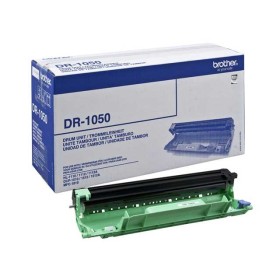
Brother DR-1050 Būgnas – Originalus
Originalus Brother DR-1050 būgno blokas Brother DR-1050 – originalus būgno blokas (Drum Uni..
66.90 € Ex Tax: 55.29 €
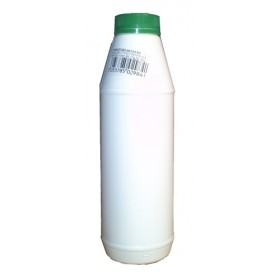
Brother TN-1050 / TN-1090 / TN-1150 kasečių pildymo milteliai 100 g
Brother TN-1050 / TN-1090 / TN-1150 tonerio milteliai (100 g) – juodi Kiekis: 100 g • ..
7.90 € 8.90 € Ex Tax: 6.53 €
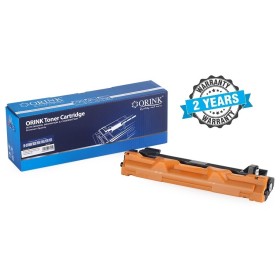
Kasetė Brother TN-1050 – Premium
Brother TN-1050 premium kokybės analoginė kasetė • Resursas: iki 1000 puslap..
17.95 € 19.70 € Ex Tax: 14.83 €
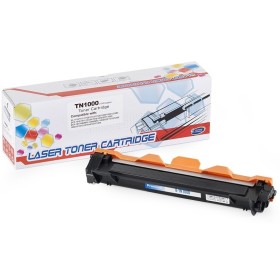
Kasetė Brother TN-1050 XL – Eco
Kasetė Brother TN-1050 XL – Eco (itin didelės talpos analogas) Gamintojas: Eco Name Or..
18.90 € Ex Tax: 15.62 €